 HousePlanCraft
Free house plan maker — 2D floor plans and 3D house views, free
A precise 2D plan editor that runs in your browser — real wall thicknesses, shared walls that move together, doors and windows that snap, dimensions in feet and inches, plot setbacks and a Vastu checker that reads your plan zone by zone. Then press one button and walk through the same plan as a 3D house. 2D and 3D are both 100% free.
- No account to draw
- Built for Indian plots
- Works on phones
- No card, no trial
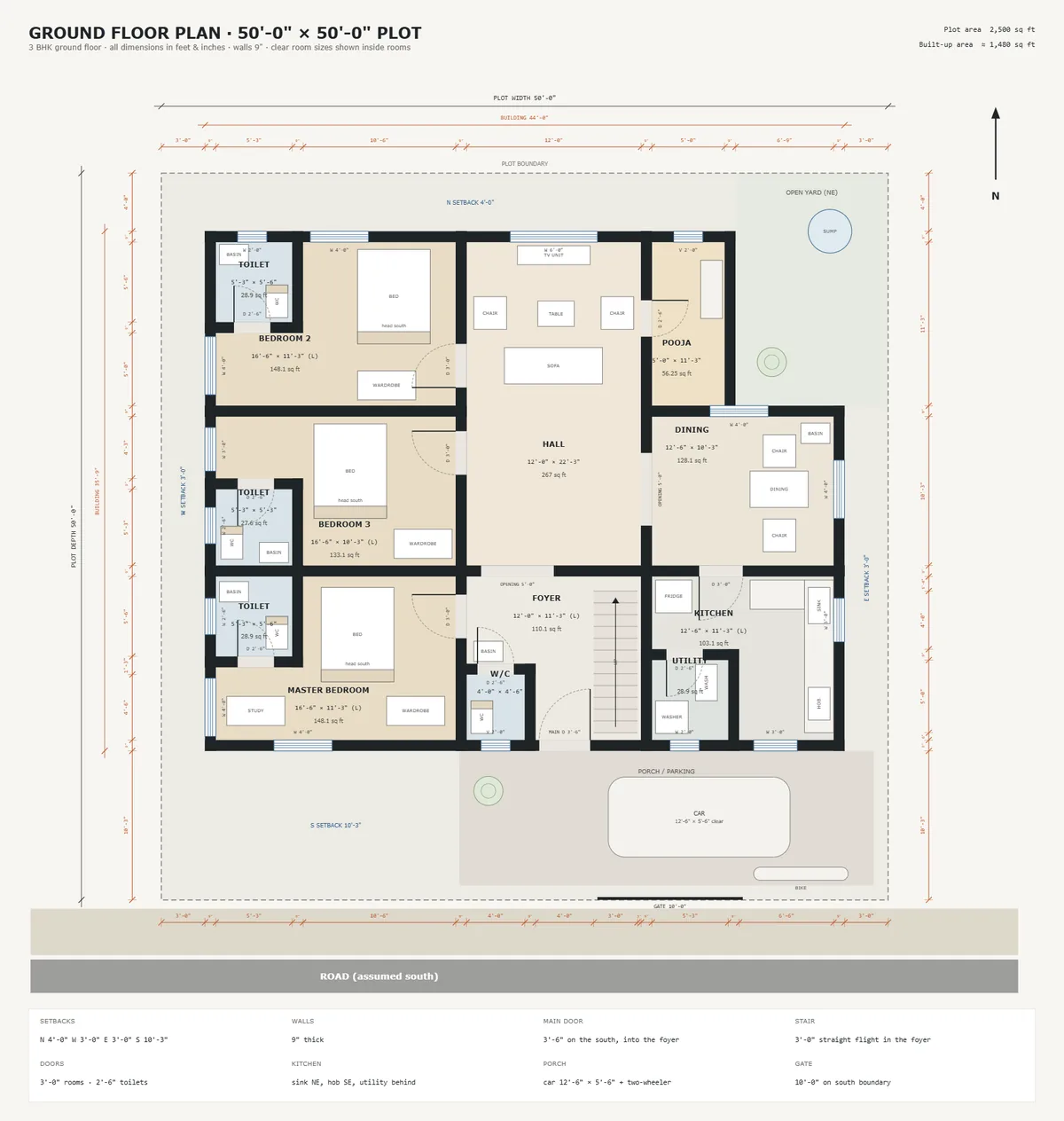
A real plan editor, not a sketch pad
Everything is drawn to scale in feet and inches. Start from your plot size and one of three ready layouts — 3 BHK, 2 BHK or 1 BHK — or an empty plot, and drag walls until it is yours.
- Walls that behaveRooms share a wall instead of stacking two. Drag a black wall and every room on it resizes; hold Alt to move just one.
- Doors, windows, furnitureOpenings snap to the nearest wall and slide along it. Beds, sofas, kitchen and bath fixtures come sized correctly.
- Plot size and setbacksType your plot dimensions and setbacks and the buildable envelope is drawn for you. Areas update as you work.
- Spots wasted spaceLeave bare ground inside the house and the editor points it out, with one click to turn it into a passage.
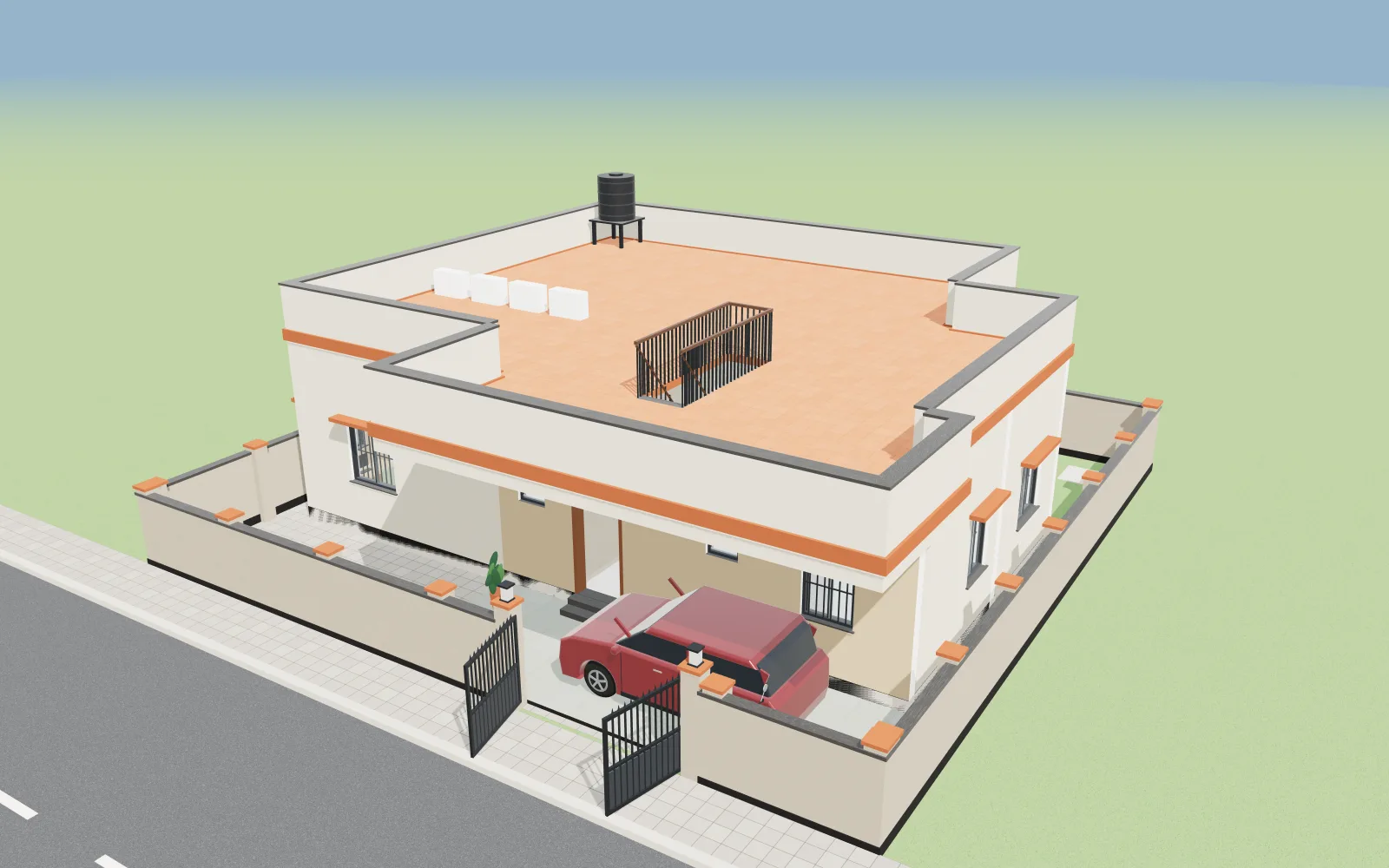
See your plan in 3D for free — then walk inside it
Press 3D view in the plan maker and your 2D plan becomes a 3D house in seconds, built to real size from your walls, doors and windows. Walk through it at eye level and try ceilings, lights and colours before you build. Completely free, saving and sharing included.
- 1Look inside every roomWalls cut away, furniture in place, people at real heights for scale.
- 2Walk up to the gateThe gate swings open as you step in off the road.
- 3Step inside at eye levelIn at the front door and through to the hall, at your own height.
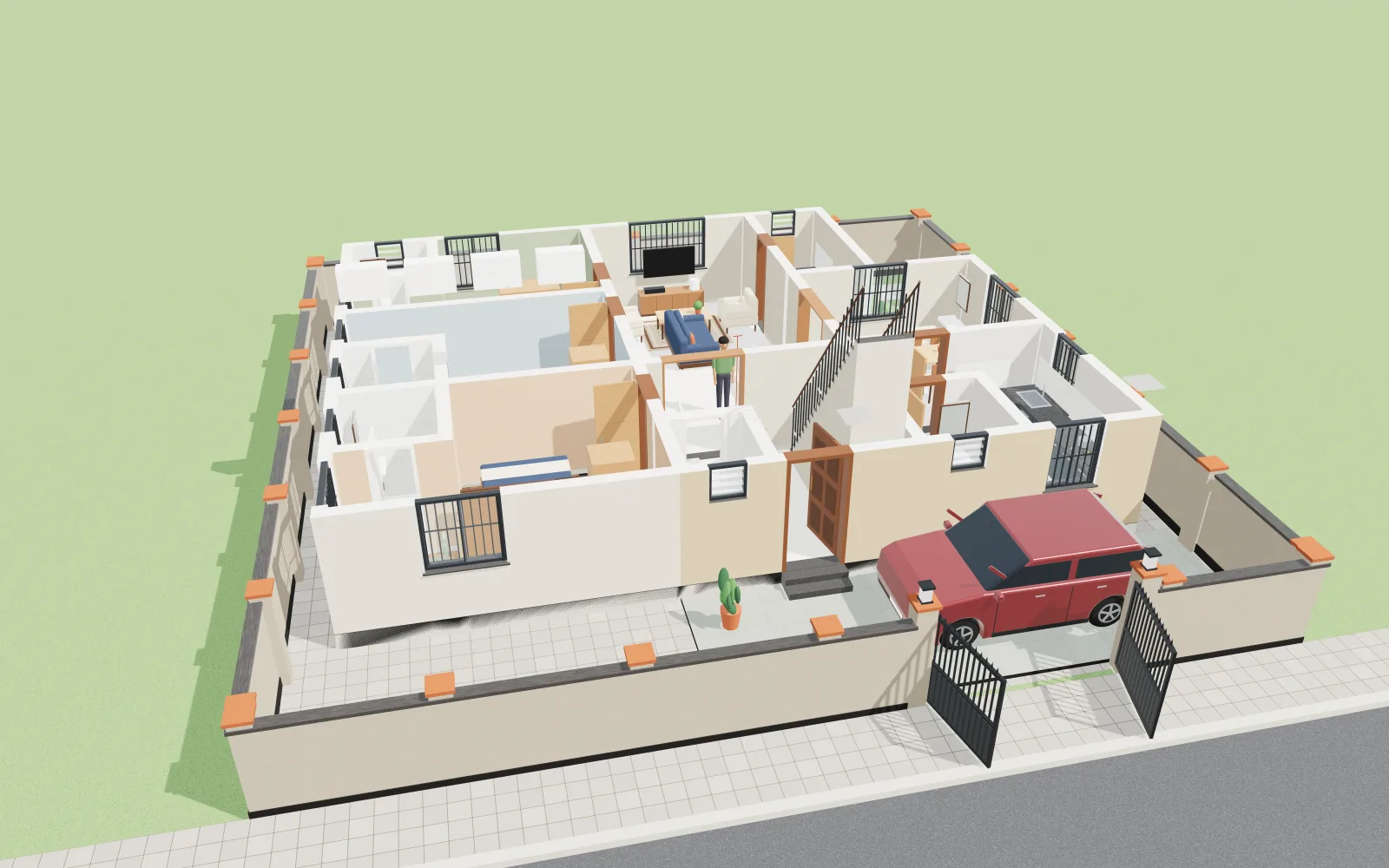
- Walk at eye levelSet your height and lens, walk room to room.
- 6 false ceilingsTrays, coves and stars, for every room.
- Day & night lightsScenes, cove colours and a dimmer.
- 28 paint coloursSix ready schemes and a paint schedule.
- Measure tapeTap two points for the real gap.
- Save & share freeSend a link to family or your builder.
Everything included. Nothing to pay.
There is no paid plan, no trial and no card. Every feature below is free for everyone.
Free Vastu check
Set the facing and every room is checked zone by zone, with the problems listed and the zones drawn over the sheet. How it works →
Every floor on its own sheet
Ground only up to G + 4. Switch floors in one click, or open All floors to see them side by side.
Export anywhere
Print-ready PDF on A4 or A3, PNG or SVG for a drawing set, or JSON to re-open later — one floor or all of them. Needs a free account.
Resize the whole plan
Change the plot's width, depth or total square feet later, and choose whether rooms and setbacks stretch with it or stay as drawn.
Saved as projects
Each plan is a project in your account, autosaved while you draw, with a thumbnail so you can find it again.
Free 3D house view
Turn the same plan into a 3D house and walk through it. Try ceilings, lights and paint colours. See your plan in 3D free →
Free save and share
Save plans and 3D models to a free account, and share a 3D link with family or your builder.
On your phone too
The plan maker and the 3D view work in a phone browser, and the free HousePlanCraft app uses the same account.
Start from your plot size
Each one opens a full room schedule that fits inside the setbacks, with the Vastu zone for every room.
From plot size to walk-through in three steps
- 01Open the plan makerNo account needed. It asks for your plot size first, then you start from one of three ready layouts — 3 BHK, 2 BHK or 1 BHK — or from an empty plot.
- 02Draw and checkDrag walls, drop doors and furniture, set the facing and read the Vastu check. Then press 3D view to walk through it.
- 03Save itCreate a free account and the plan becomes a project — autosaved, with a thumbnail, and yours to come back to.
Made for the people who build houses
People building a house
Settle the layout before you pay for drawings, so the architect starts from what you actually want.
Contractors and masons
Put a dimensioned plan in front of a client in ten minutes instead of sketching it on the back of a cement bag.
Civil students and draughtsmen
Work out a layout quickly without opening CAD, then export it as SVG to carry on there.
Questions, answered
Short answers here; the guides go deeper.
Frequently asked questions
Is HousePlanCraft really free?
Yes. HousePlanCraft is 100% free: the 2D floor plan maker, the 3D house view, the Vastu check, saving, exporting and sharing. There is no paid plan, no trial and no card.
Is the 3D house view free?
Yes. Turning your 2D plan into a walkable 3D house is free, and so are false-ceiling designs, lighting scenes, paint colours, saving 3D models and sharing them. You only need a free account.
Can I draw a house plan online for free without signing up?
Yes. The free floor plan maker opens straight away and you can draw as much as you like. A free account is needed only to save, export or open the 3D view, and your drawing carries over.
Does the free plan maker work for Indian plot sizes?
Yes. Everything is in feet and inches, with setbacks and a Vastu check, and there are ready layouts for 20x30, 30x40, 30x50, 40x60 and other common Indian plots.
Is there a free mobile app?
Yes. The HousePlanCraft app for Android and iOS is free too, with the same 2D editor and 3D view, using the same free account as the website.
Draw your house tonight. Walk through it tonight too.
Draw as much as you like without an account. A free account is needed only to save, export or open the free 3D view — and your drawing carries over.